You do not need a camera, a mic, or editing skills
This is the part that trips people up. They picture a ring light, a studio mic, hours of Premiere Pro tutorials. Faceless videos skip all of that.
A faceless video is narrated content layered over visuals. Think: a story told over atmospheric footage, a motivational quote over cinematic clips, a true crime breakdown illustrated with text and images. The creator never appears on screen and never records their own voice.
What you actually need is a computer or phone, a topic worth talking about, and a way to assemble five ingredients. That is it. No film degree. No production budget.
Pick a niche that works without a face
Not every topic needs a talking head. Some niches are built for faceless content: scary stories, historical deep dives, stoic motivation, true crime, dark psychology, startup breakdowns, bedtime stories, comic narratives. The list goes on.
The key is choosing a niche where the story or information carries the video, not your personality. If the content makes someone stop scrolling because of what is being said rather than who is saying it, you have a faceless niche.
Browse popular faceless niches to see what creators are already posting. Pick one you could talk about for weeks without running out of ideas. That matters more than whatever is trending this month.
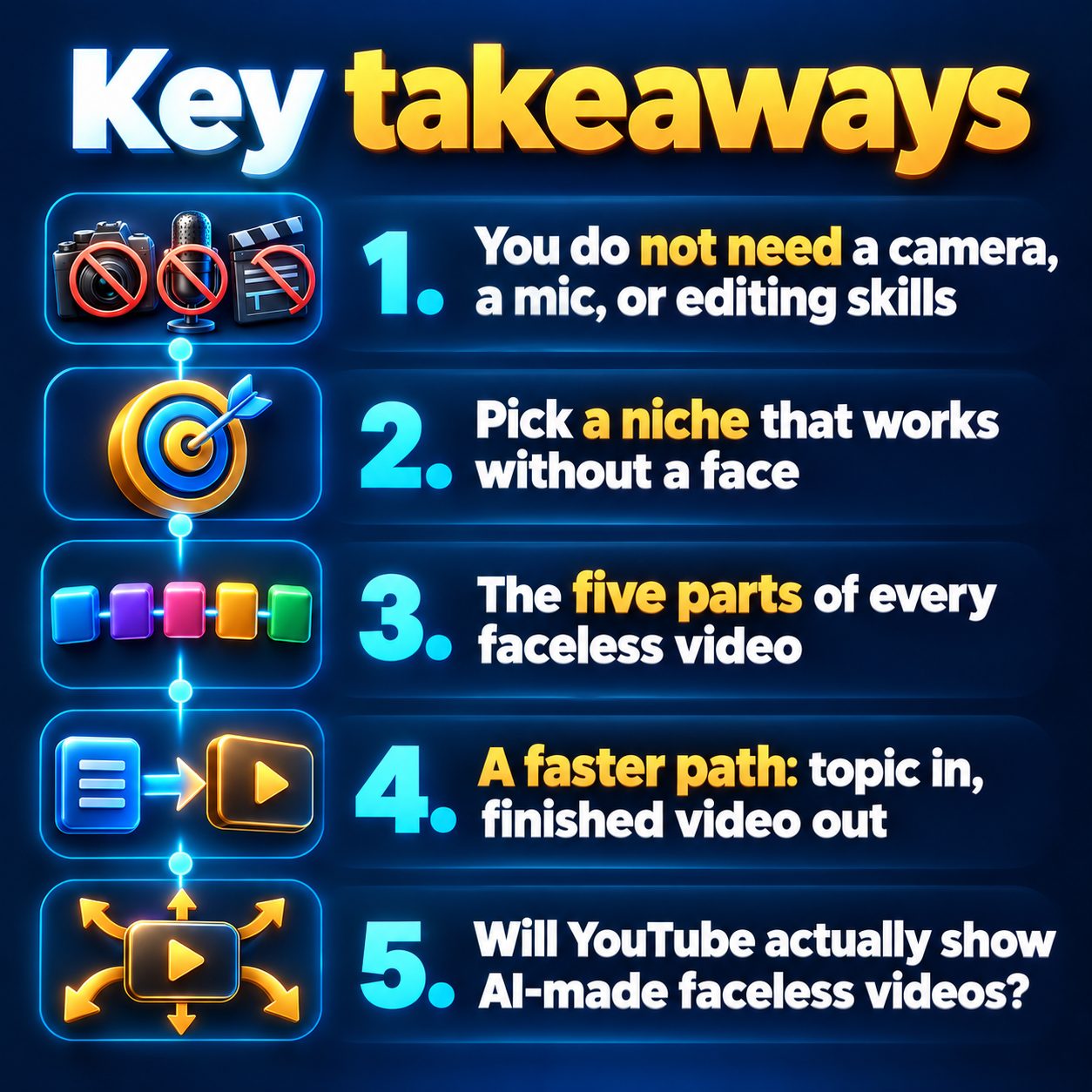
The five parts of every faceless video
Every faceless short follows the same anatomy:
1. Script. This is where your video lives or dies. Open with a hook that creates curiosity or tension in the very first line. Something like "Scientists found something at the bottom of the ocean they still cannot explain" pulls harder than "Today we are going to discuss ocean discoveries." Keep the script tight for short-form.
2. Visuals. Stock footage, AI-generated images, or stylized art. The visuals support the narration. They do not need to be literal. Atmospheric and moody often beats literal and obvious.
3. Voiceover. AI text-to-speech voices sound natural enough now that most viewers cannot tell the difference. Pick a voice that fits your niche: deep and calm for motivation, energetic and fast for story channels.
4. Music or ambient sound. A subtle background layer sets the mood. Horror niches use dark ambient; motivation channels use orchestral swells. This is seasoning, not the main dish.
5. Captions. Animated captions are practically mandatory on Shorts and Reels. They boost watch time because people read along even with sound on.
You can assemble all five manually with free tools: a text editor, an AI voice generator, a stock footage site, and a free video editor like CapCut or DaVinci Resolve. It works. It is also slow, especially if you want to post daily.
A faster path: topic in, finished video out
Here is where most creators stall. Building one video from scratch takes hours. Posting every day with free tools becomes a second job. And the whole point of going faceless was to avoid that grind.
AI video tools compress the entire process. You type a topic, the tool writes the script, generates visuals, narrates the video, adds captions, and hands you a finished vertical video ready to upload.
MaqtAi does exactly this in three steps: pick your niche and topic, let the AI build the full video (script, voiceover, visuals with real motion, ambient sound, and animated captions), then review and publish. It auto-publishes directly to YouTube Shorts, TikTok, and Instagram Reels.
If you want hands-free daily posting, Autopilot lets you set a cadence and fill a topic queue so videos render and publish on your schedule.
New accounts get free credits just for verifying an email, enough to make your first few videos and see how they feel before spending anything. No card required. See how credits and plans work.
Will YouTube actually show AI-made faceless videos?
This is the real question hiding behind the how-to. You want to know whether this works before you invest time.
No major platform down-ranks a video because it was made with AI. YouTube, TikTok, and Instagram rank Shorts by viewer behavior: watch time, completion rate, likes, shares. They care whether people watch, not how the video was produced.
What does hurt your reach: uploading the same file to dozens of accounts (that is a spam pattern), posting near-duplicate content on repeat, or opening with a weak first second that makes people swipe away.
YouTube asks creators to disclose realistic synthetic media that could be mistaken for real events or real people. The disclosure label itself does not reduce distribution. Skipping it when required risks removal.
The honest limit here: no tool will save a boring topic or a weak hook. AI handles production. You still need to pick topics people care about and open with lines that stop the scroll.
The questions you are not asking out loud
"Am I too late?" Short-form video is still growing. YouTube, TikTok, and Instagram are all actively pushing Shorts and Reels in their algorithms because that format keeps users on the platform. The real barrier is consistency, not timing. Most people who start a faceless channel quit before they have posted enough for the algorithm to learn who their audience is. The ones still posting are the ones who "got in early."
"What if I post for two weeks and nothing happens?" That is normal. Your first batch of videos teaches you what hooks work, which topics your audience responds to, and what pacing feels right. Those videos also feed the algorithm signals about your channel. Expect the early ones to be practice. That is not failure. That is calibration.
"Will people judge me for using AI?" Your viewers will never ask how the video was made. They will watch it or swipe past it based on the first two seconds. Audiences judge the content, not the workflow behind it.
Start with one video, not a business plan
The most expensive thing you can do right now is keep researching. Every day without a video is a day without algorithm data, without audience feedback, without the momentum that compounds over weeks of consistent posting.
You do not need the perfect niche locked in. You do not need a content calendar. You need one video. Pick a topic you find genuinely interesting, write a script with a strong opening line, and make the thing.
If you want to skip the manual assembly and go from a topic to a finished video in minutes, MaqtAi gives you free credits when you verify your email. No card, no commitment. Just enough to make your first videos and find out if this fits before you plan anything bigger.
Doing this by hand is the part most people quit at. MaqtAi writes the script, narrates it, generates the visuals and captions, and assembles the faceless short for you. Verify your email and you get 450 free credits: about 3 videos on the still-frame tier, or one with AI motion. Free renders carry a watermark.
Try it on your niche freeFrequently asked questions
Can I monetize a faceless YouTube channel? Yes. Faceless channels are eligible for the YouTube Partner Program under the same requirements as any other channel. YouTube does not distinguish between faceless and on-camera content for monetization purposes. You own the videos you make.
How often should I post faceless YouTube Shorts? Daily posting builds momentum fastest, but three times a week is a solid starting point. Consistency matters more than volume. Pick a cadence you can realistically maintain for at least a couple of months.
Do I need to disclose that my videos use AI? YouTube asks for disclosure when content contains realistic altered or synthetic media that could be mistaken for real events or real people. For most faceless content with stylized AI visuals and narration, the format makes it obvious. Follow the platform's current guidance and label when required.
What niches work best for faceless YouTube channels? Story-driven and information-heavy niches tend to perform well: scary stories, history, motivation, true crime, psychology, bedtime content, and startup breakdowns are all popular. Check MaqtAi's niche list for more ideas.
Results vary. Nothing in this article is a guarantee of income.