What viewers are actually watching for
Here's the thing nobody tells you when you start shopping for visuals. People don't stay on a faceless TikTok for the pictures. They stay for the story, the question, or the payoff they were promised in the first second. The visuals have one job: keep the eyes busy while the words do the work.
That changes the question. It isn't "do I need AI images?" It's "what visuals keep my specific viewer from swiping?" A finance tip needs something clean that moves. A ghost story needs atmosphere. A quiz needs the question big and readable. Get that match right and the source barely matters.
So if you've been stuck because you think you need some fancy AI setup before you can post, you don't. You can start with what you have.
Your camera-free options, and who each one suits
Every one of these works without showing your face. Each has a trade-off.
- Stock footage. Free libraries like Pexels and Pixabay are full of city shots, nature, and people typing on laptops. Great for motivation, money tips, and travel facts. The catch is that everyone uses the same clips, so your video can feel familiar in a bad way.
- Screen recordings. Perfect for app tips, tutorials, and "did you know this setting exists" videos. Zero design skill needed.
- Text-led videos. Big on-screen text over a simple moving background. Works for quotes, quick facts, and quizzes, where the words are the visual.
- Hands and objects. Film your desk, your cooking, your notebook. Still faceless. Honestly underrated for product and craft niches.
- AI images. Made to order. You describe the scene and get it, even if it never happened or no photographer was ever there.
One thing to skip entirely: grabbing other creators' clips or movie scenes. That's reposting, not faceless content, and it's the fastest way to get videos pulled.
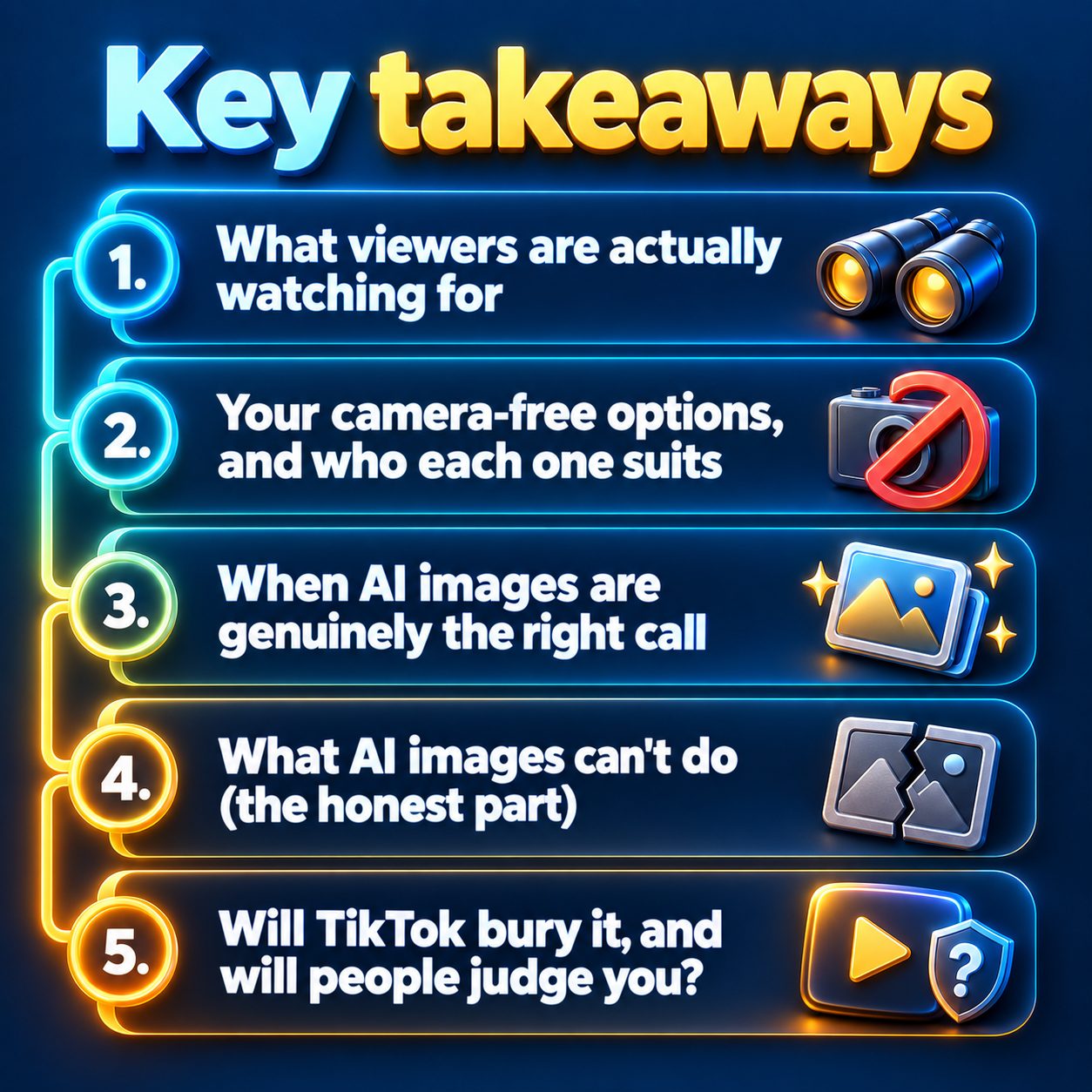
When AI images are genuinely the right call
AI visuals earn their keep in niches where the footage simply doesn't exist. Try finding stock video of a Viking longship in a storm, a Victorian séance, or the moment a startup founder got the email that changed everything. You won't. You'll find something vaguely close and hope nobody notices.
That's why storytelling niches lean on AI: scary stories, history, bedtime stories, stoic motivation, and dark psychology. The scene can match the script line by line, which is exactly what holds someone through a story.
Two things make AI visuals work better:
- A consistent style. If every video in your series looks like the same eerie watercolor or the same moody cinematic world, viewers start recognizing you in the feed before they read a word.
- Motion. A still image with a slow zoom is fine. Visuals that actually move feel more like a video and less like a slideshow, which matters in a feed built on autoplay.
If your niche is personal finance explained in plain language, though, you might never need a single AI image. Don't buy a solution for a problem you don't have.
What AI images can't do (the honest part)
This is where a lot of "just use AI" advice gets slippery, so let me be straight with you.
AI images still struggle with hands, readable text inside the picture, and keeping the same character looking the same from scene to scene. Realistic people can tip into uncanny. You'll sometimes need to regenerate or swap a scene that looks off.
They also can't rescue a weak script. A gorgeous image over a boring opening line still gets swiped. And when your video covers real events or real people, don't generate realistic pictures of them doing things they didn't do. In true crime especially, that crosses from storytelling into misinformation, and it's disrespectful to the people involved.
Finally, realistic AI content comes with a labeling responsibility, which brings us to the part you're probably quietly worried about.
Will TikTok bury it, and will people judge you?
No platform down-ranks a video just because it's AI-made. TikTok ranks short videos on how people behave: whether they watch to the end, rewatch, like, share. Your production method isn't part of that.
What does hurt reach: weak opening seconds, near-identical videos posted over and over, and ignoring TikTok's rule to label realistic AI-generated content. The label itself doesn't cut your distribution. Skipping it when it applies is what risks removal. For clearly stylized art, like comic or watercolor illustration, it's less of a gray area, but when in doubt, label.
As for judgment: viewers don't comment "AI slop" because something is AI. They do it when a video is generic, empty, and obviously pumped out without care. A channel with a real point of view and a good story gets watched whether its pictures came from a camera or a prompt.
A cheap way to decide this week
Stop debating and run a small test. Write one script. Make it twice: once with stock clips, once with AI visuals. Post them a few days apart and compare how long people watched in your TikTok analytics. Your audience will tell you more in a week than any article can.
The hard part is usually that second version, because building AI visuals scene by scene eats an evening. That's the friction MaqtAi removes. You give it a niche and a topic, and it writes the script, generates niche-matched visuals with real motion, adds the AI voiceover and animated captions, and hands you a vertical video. No camera, no recording your voice.
It's also free to try. Verify your email and you get 450 free credits with no card, which covers roughly 3 to 4 videos on the still-frame default, or one video with AI motion. Free renders carry a watermark, so treat them as your test versions, not your final uploads. The details are on the pricing page.
Here's what waiting actually costs. Every week you spend researching visuals is a week your account isn't collecting data on what your viewers respond to. Meanwhile someone in your niche posted today, and tomorrow, and the day after. The picture question gets answered by posting, not by planning.
So take one small step: pick a topic you already know you'd enjoy explaining, and make your first video this afternoon.
Doing this by hand is the part most people quit at. MaqtAi writes the script, narrates it, generates the visuals and captions, and assembles the faceless short for you. Verify your email and you get 450 free credits: about 3 videos on the still-frame tier, or one with AI motion. Free renders carry a watermark.
Try it on your niche freeFrequently asked questions
Can I use free stock footage on faceless TikTok? Yes, as long as the library's license allows commercial use, which the big free ones generally do. Read each site's license once, and never repost clips from other creators or films.
Do I have to label AI images on TikTok? TikTok asks you to label realistic AI-generated content. Clearly stylized illustrations are less of a concern, but labeling when you're unsure costs you nothing in reach.
Are moving AI visuals better than still AI images? Motion usually feels more like a real video and less like a slideshow, which helps keep eyes on screen. It also costs more to generate, so test whether your niche needs it.
Can I mix stock clips and AI images in one video? Yes. Plenty of creators use stock for general scenes and AI for the moments stock can't show. Just keep the look consistent enough that it feels like one video.