What actually decides whether an ad works (hint: not the tool)
Before we talk about generating anything, let's be honest with each other: the ad that wins is not the prettiest one. It's the one that tells the right viewer something they care about inside the first two seconds. Tools don't do that part. You do.
Sit down for ten minutes and write one page that contains:
- Exactly who the buyer is, and the problem keeping them up right now.
- One promise. Not three. A short ad has room for exactly one idea.
- Three real selling points you can actually back up.
- One clear call to action: click the link, request a sample, book a call.
This page is not a marketing exercise. It's the input the AI will be working from later. Tools that write your ad from your product facts give you a result exactly as good as those facts, and no better. A vague page means a vague ad.
The steps: from a page of facts to a video ready to post
1. Pick the ad format. Two shapes work in short form. The first is UGC style: a person talking to camera, explaining the product like a personal recommendation. Best for anything that needs trust up front (services, supplements, courses, apps). The second is images and moving scenes with a voiceover on top. Best when the product itself is the visual star.
2. Set the length. For an ad, 15 to 30 seconds is usually plenty. Longer does not mean more convincing, it just means more chances to lose them.
3. Write or generate the script, then read it with your own eyes. Start with the hardest line: the first one. Point it at the buyer's pain, not at your company name. Then the outcome, then the proof, then the call to action.
4. Choose the voice and language. Match the accent and register to where your buyers actually are, and set the pace: an ad can run slightly faster than educational content.
5. Drop in real photos of your product. Most people skip this one. Actual product shots inside the ad buy you more credibility than any generated scene. Even phone photos work if the lighting is decent.
6. Turn on captions. A lot of people scroll with the sound off. On screen text is not decoration, it's the thing that keeps them watching to the end.
7. Post it, then make a second version. Don't judge an idea off one video. Make three versions with three different openings and the same body.
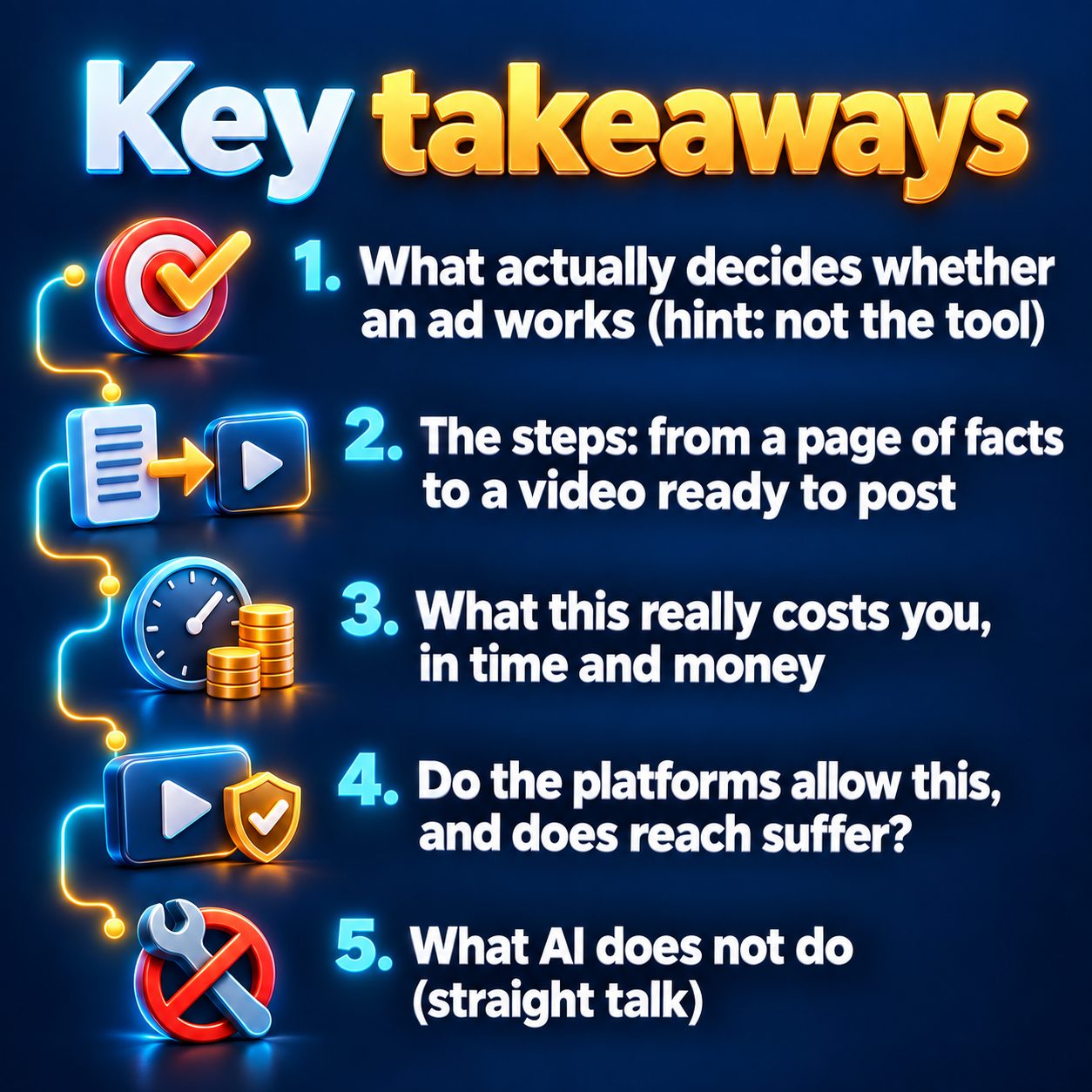
What this really costs you, in time and money
Traditional filming means gear, or a studio, or a videographer. It also means paying before you know whether the idea works at all. That's the painful part: the budget goes out the door before any data comes back.
Producing with AI flips the order. You make the ad first, look at it, post it, and then decide whether it deserves real investment. The time needed for your first video is one afternoon, and most of that afternoon goes into writing the facts page, not into the tool.
On cost, these tools usually run on a credit per video system, and pricing shifts with how much visual motion you ask for. You can look over the credit breakdown and quality tiers before committing to anything. Practical advice: don't pay for the highest motion tier on your first try. Find out whether your message lands first.
Do the platforms allow this, and does reach suffer?
Fair worry, and the answer is reassuring: no platform demotes a video just because AI made it. TikTok, Instagram, YouTube, and Facebook rank short form on viewer behavior: watch time, completion rate, likes, shares. How it was produced is not a ranking signal.
What actually hurts you is something else entirely:
- Spam patterns: the same file posted across multiple accounts, or blasting out near identical copies.
- A weak opening that gets you scrolled past in two seconds.
- Ignoring the disclosure rules for realistic synthetic content. The label itself doesn't cost you reach, but skipping it can get the video pulled.
And watch the technical side of publishing: personal Instagram accounts can't post through the platform APIs. You need a Business or Creator account linked to a Facebook Page. Sort that out before the ad is ready, not after.
What AI does not do (straight talk)
Here's the part the sales pages leave out.
AI does not invent demand for a product nobody wants. If the offer is weak, a beautiful ad just communicates that weakness more clearly.
And it doesn't know your product. At MaqtAi, for example, the presenter ad is written from the product facts you enter, and it won't claim anything you didn't write. That's a deliberate constraint and a useful one: no invented hype. It also means the accuracy of the ad is on you.
There are format limits worth knowing up front too. The presenter ad comes in a fixed six scene structure with no quality tier, though you do pick 30, 60 or 120 seconds, and it can show up to six of your product images while the presenter talks. Presenter ads render on the standard presenter engine and need a paid plan, because the talking presenter is off on free accounts. Once rendered, presenter videos only accept music and caption edits, because changing the words breaks lip sync. For the same reason, these videos don't yet support generating versions in another language. Cloning your own voice and face through Clone Studio is in Beta: the likeness gets close but it isn't perfect, and mouth and hand movement are the hardest parts. If your product depends on your personal face being exactly right, this may not be where you start.
The questions you don't type into a search box
Will people judge me for using AI? A customer looking for a solution to their problem is not asking about your production stack. They're asking: does this fix my problem, and do I trust whoever is selling it. Answer those two clearly and the other question disappears.
Am I too late? The space is still young, and most people never publish at all. The real competition isn't over tools, it's over clarity and consistency.
What if I quit after two weeks? That's a real possibility, which is exactly why you shouldn't start with a huge plan. Start with one ad and three different openings. If you see a signal, scale it. If you don't, change the message, not the tool.
The small step worth taking today
Waiting has a quiet price that never shows up on an invoice. Every week without a published ad is a week without data: you don't know which opening holds a viewer, which promise moves demand, or which platform fits your product. Your competitor who publishes is learning all of it while you compare tools.
The smallest possible step: open the facts page, write the one promise, and make one ad video. At MaqtAi you get 450 free credits just for verifying your email, no card required, which is enough for three or four videos on the still-frame Express tier, or a single one if you switch AI motion on. Be aware that the talking presenter is a paid feature, and that the free plan defaults to a video from still images with a zoom motion and carries a watermark. You can look at how it works in three steps or the full feature list before you decide.
Winning ad creative is a volume game. MaqtAi turns a product photo or link into UGC-style presenter ads, with the script, presenter, and captions handled for you, ready for TikTok or Reels. Presenter ads use the talking presenter, which is on the paid plans. Verify your email for 450 free credits and start with faceless videos, no card needed.
Start freeFAQ
Do I own the video, and can I use it commercially? Yes. The videos you produce are yours, and you can publish and use them commercially on your own channels and accounts.
Do I have to write the script myself? No. For presenter ads you can leave the script field empty and the ad gets written from the product facts you entered. And if you paste in your own text without generating, it's used exactly as written.
What languages can the ad speak? Voiceover is available in 59 languages, and your choice controls the script, the pronunciation, and the captions together. You could write the idea in English, for instance, and get the narration in Arabic.
How long does rendering take? The render itself usually takes a few minutes. The longer part is preparing your product facts and reviewing the script before you launch.